LINE AI Business Assistant
Turns LINE messages into routed tasks, AI replies and trackable customer workflows.
AI automation studio
I am Alvis. Bunun Studio focuses on LINE AI assistants, n8n automation, document search and web presentation. I start with a demonstrable version, then improve it into a stable system step by step.
panda@bunun.co
Selected Work
These are not only function demos. They turn messages, documents, queries and workflows into systems that clients can understand, test and gradually adopt.
Turns LINE messages into routed tasks, AI replies and trackable customer workflows.
Organizes tender documents into a searchable knowledge base to reduce manual review time.
Breaks large workflows into modules so testing, errors and future changes are easier to manage.
Wraps weather, air quality and public data APIs into simple LINE query experiences.
Extracts contact details from images and prepares structured records for follow-up.
What I Build
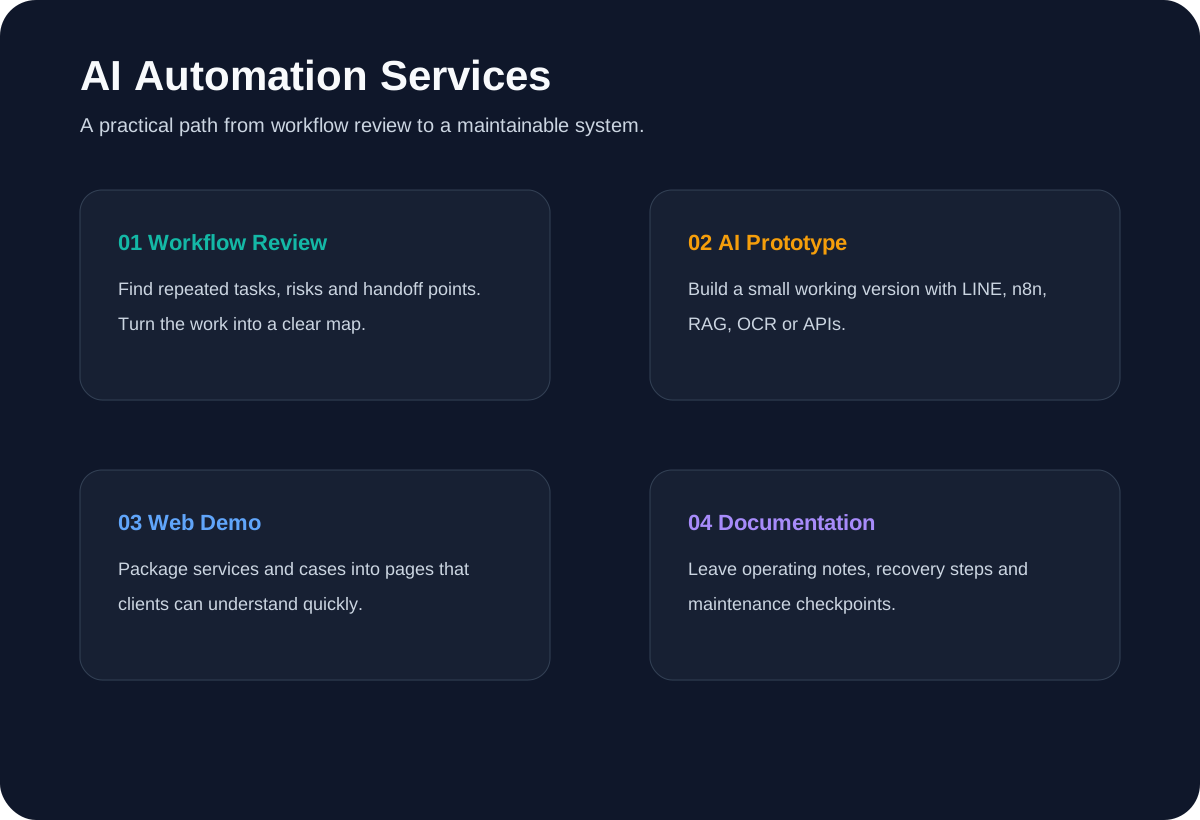
I clarify the problem first, then build a small working version. The goal is not to pile on technology, but to make each step understandable and maintainable.
Find repeated, time-consuming or error-prone work and turn it into a clear workflow map.
Use LINE, n8n, RAG or APIs to validate the workflow and response quality.
Package services, cases and demos into pages that clients can quickly understand.
Prepare operating notes, risks and recovery steps so the system is not maintained by memory alone.
How We Work
AI automation can easily become too large too early. I split it into stages that can be reviewed, tested and improved.
Confirm users, input data, expected output and data that must not be touched.
Create a working demo without real tokens or production data.
Check empty data, wrong formats, poor answers and exception cases.
Add documentation, deployment notes and recovery steps before production use.
System View
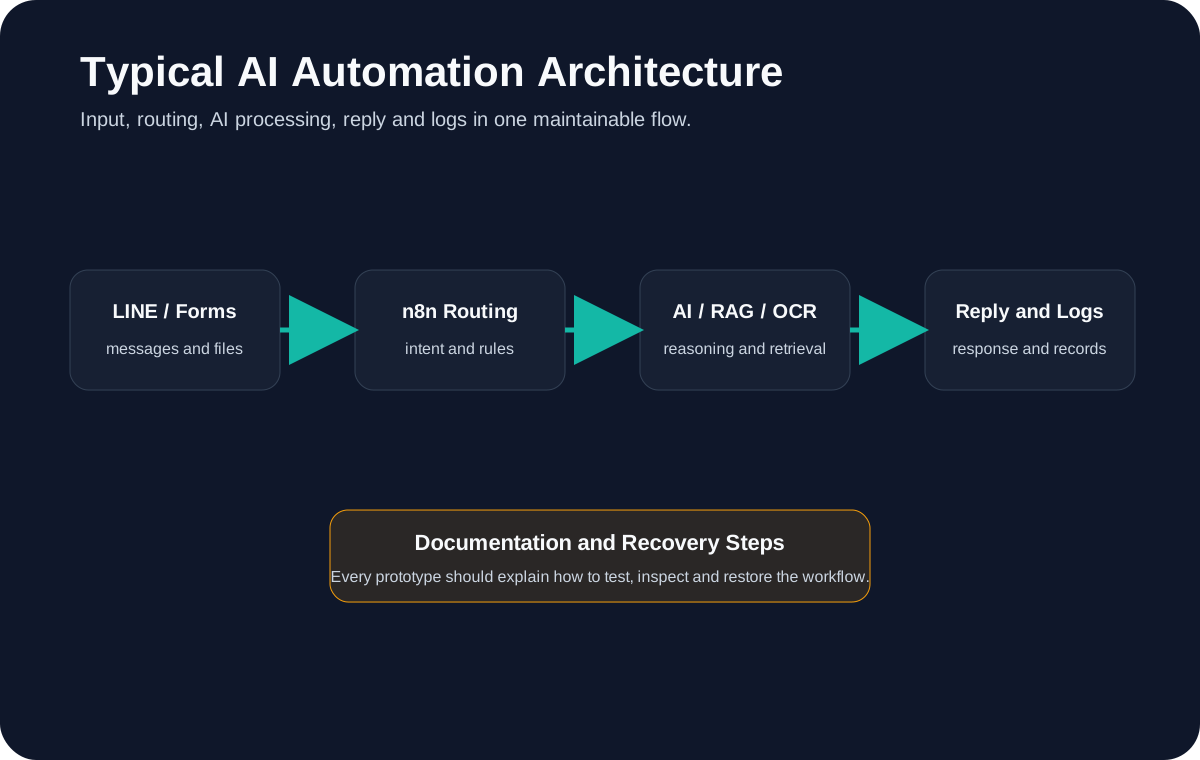
Besides the high-level architecture, I also prepare workflow diagrams so clients can see how the system moves from input to output.
Contact
Send a short description of where the work gets stuck, how much time it takes, and whether it uses LINE, Excel, PDFs, websites or other tools. Do not include API keys, tokens or passwords.